At 2 AM, a P1 Incident Spins Out in the Group Chat and No One Can Say What Stage It's At
The Scene
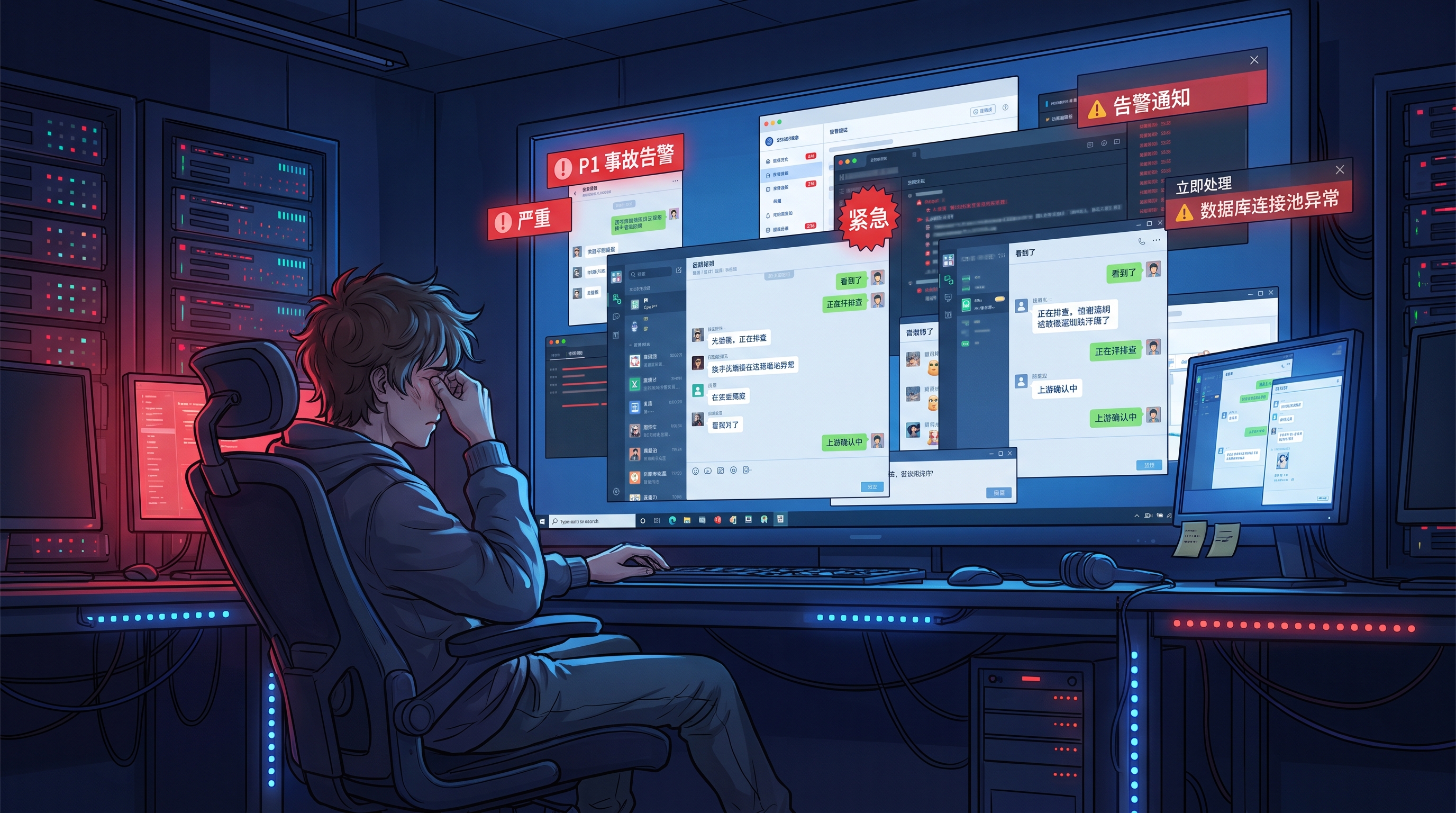
At 2 AM, on-call engineer Xiao Zhou has just finished a round of monitoring curves and is about to get a glass of water. The first P1 alert pops up in the ops group chat: "Database connection pool alert on the payment callback path." He puts the cup down, replies "seen," and starts syncing in the group.
Within five minutes, the ops group, the business group, and the upstream dependency group all explode at once. Alert screenshots, monitoring curves, log snippets, temporary workarounds, follow-up questions — all of it piles up in a single message stream in chronological order.
Twenty minutes pass. The group has scrolled past 200 messages.
The business side @s Xiao Zhou in the group: "What stage is the incident at?"
Xiao Zhou scrolls through the chat history and hesitates for five seconds.
No one can answer it in a single sentence.
Pinpointing the Root Cause
The reason incidents spin out of control in group chats is not slow response.
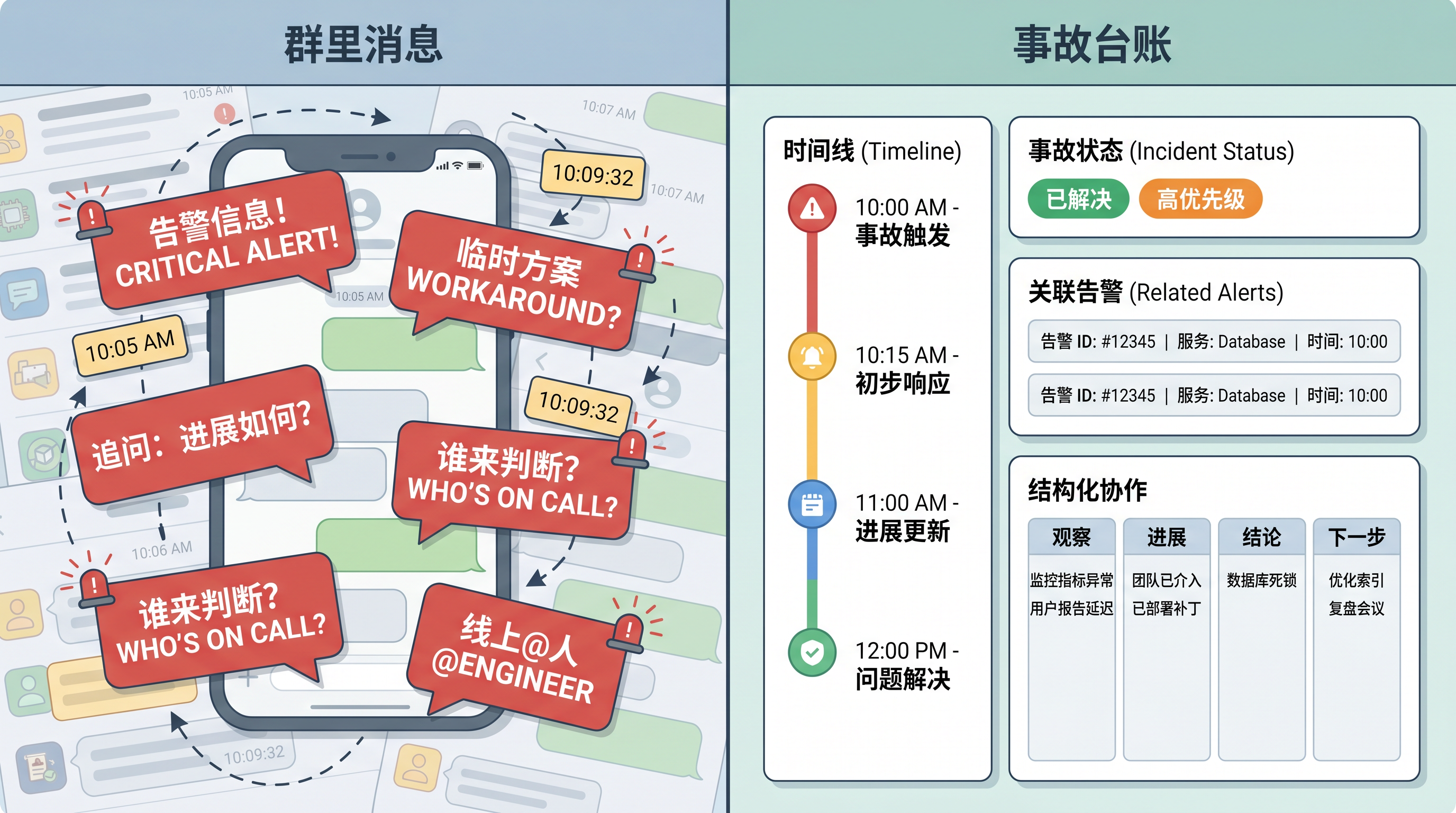
A group chat can naturally support "alerts" — what the alert is, who is handling it, and when it was resolved. A five-minute discussion in the group can cover that.
A group chat cannot support "incidents" — an incident is a cross-team response and collaboration object. It needs a state machine, structured collaboration records, and traceable evidence for post-incident review. The natural structure of group chat is a timeline. Incident management needs something other than a timeline.
When an incident can only live inside a group chat, the question "what stage is the incident at" can only be maintained as a snapshot in each person's head — and those snapshots never agree with each other, so they cannot be reassembled during review.
Let's break this gap into four layers.
1. Alerts and Incidents Are Two Different Things
The two words most often conflated in a group chat are "alert" and "incident."
A P1 alert may just be a single event fingerprint, but behind it there could be a dozen related alerts, several business owners, and a number of upstream dependencies.
The alert layer only answers "what happened." The incident layer answers "how do we coordinate the response."
The first blind spot exposed during a group chat discussion is "do all these alerts count as one incident, or ten."
If no one can tell the group in the first minute that "this cluster of alerts has already been collapsed into a single incident at the system level," the natural result of a group chat is that everyone keeps talking about their own alerts — and each one has to be handled.
2. Group Messages Cannot Carry a State Machine
The structure of a group chat is a timeline: messages stack on top of each other one by one.
The structure incident management needs is a state machine: pending / in progress / closed, layered with structured fields like "observation / progress / conclusion / next step."
These two structures are incompatible.
When incident information can only settle in the form of messages, "what stage is the incident at right now" can only be maintained as a snapshot in each person's head. When Xiao Zhou says in the group "checking the database," the business side may interpret it as "handling it" — when in fact Xiao Zhou is still scrolling through monitoring curves.
3. Scrolling Through 200 Messages Again During Review
A week later, in the incident review meeting.
The review lead asks Xiao Zhou: "Between 2 and 3 AM that night, what actually happened, who made which judgment, and what did you temporarily bypass?"
If the incident has no independent ledger, the review has no choice but to dig evidence out of the chat history.
But by then the chat history has already been overwritten by new messages from the response itself — the key judgments, the temporary workarounds, the configuration that was bypassed have all been pushed out.
The only conclusion the review can reach is "it was chaotic at the time" — a vague sentence.
Where exactly it got stuck, who made which judgment, and why it wasn't caught — those real questions are brushed off by the phrase "it was chaotic at the time."
4. Newcomers Cannot Get Up to Speed; Collaboration Information Is Scattered
Xiao Zhou wants to bring a new teammate, Xiao Li, into the incident response.
That usually means @-ing a long list of people in the group and re-summarizing a pile of background — and what Xiao Li sees is a long string of historical messages, with no one able to tell him "which message should I start reading from."
Worse, group messages can only be read chronologically, not filtered by alert, by resource, or by person. When Xiao Li wants to find out "who judged alert X," he has no choice but to scroll through the entire group from the beginning.
Tying the Four Layers Together
These four gaps look scattered, but they all point in the same direction:
| Gap | Form in the Group Chat | Missing Capability |
|---|---|---|
| Alert vs. incident conflation | Alerts and incidents are not distinguished | Incidents automatically collapse into "one thing" |
| Timeline vs. state machine | Group chats can only stack messages | Incident state machine + structured fields |
| Scrolling through messages again at review time | Key judgments get overwritten by new messages | Collaboration records live independently of the chat stream |
| Newcomers cannot get up to speed | Group information has no structure | Filtering by object, time, or person |
The common root cause behind all four gaps: the incident has no independent home inside the group chat.
The group can keep carrying emotions and ad-hoc discussion, but the "incident" as an object has to be pulled out of the group — once it has an independent ledger in the system, the four gaps above finally have somewhere to land.
How BK Lite Tackles It
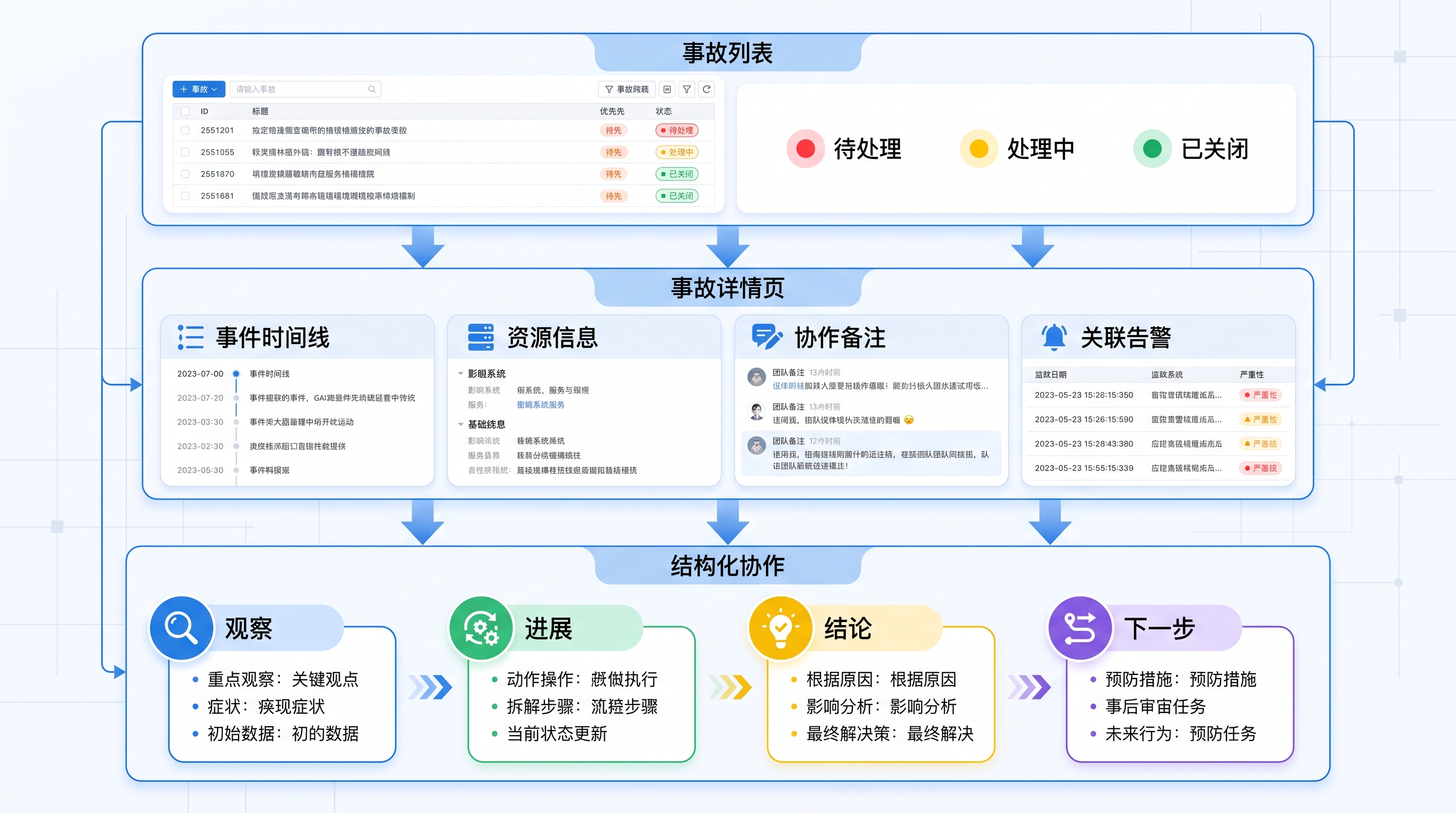
The alert center treats incidents as independent collaboration objects, which directly closes these four gaps.
Specifically, three layers:
- Automatic incident creation: correlation rules (intelligent noise reduction / missing-data detection) automatically aggregate related alerts into a single incident. "One thing or ten" is resolved at the system level.
- Incident detail page: related alerts, event timeline, resource information, and collaboration notes are all presented on a single page. The on-call engineer can see at a glance "who is handling it, what stage it is at, which alerts are linked, and which resources are affected."
- Structured collaboration + state machine: collaboration supports four structured update types — "observation / progress / conclusion / next step." Key information can be flagged individually, and threaded replies keep sub-topics from being pushed out. Incident status has a clear lifecycle: "pending → in progress → closed."
Incidents and alerts are independent of each other — alerts are event aggregation, incidents are response collaboration objects. Team scope is isolated by organization, so no one crosses boundaries to see other teams' incidents.
Closing
Back to the P1 incident at the beginning.
If Xiao Zhou's on-call team had an incident ledger at the time —
At 2 AM the alert group sees a P1. At 2:17 AM the alert center automatically collapses the related alerts into a single incident. At 2:18 AM Xiao Zhou sees on the incident detail page "who is handling it, what stage it is at, which alerts are linked, and which resources are affected." At 2:25 AM, when the business side asks again "what stage is the incident at," Xiao Zhou can answer in one sentence: "In progress, waiting for upstream feedback." At 4 AM the incident is closed, and the collaboration record lives independently of the chat stream. A week later, in the review meeting, the review lead pulls evidence directly from the incident ledger — no more scrolling through 200 messages.
The group chat keeps carrying emotions and ad-hoc discussion; the incident ledger carries status and collaboration. The two have their own roles, and only then can incident response truly close the loop at the system level instead of inside someone's head.
It is not the 200 messages in the incident group that are to blame. The fault is the form of the carrier. Give the incident a ledger, and "what stage is the incident at" can finally be answered in one sentence.