Structure Firewall Logs to Find Suspicious Access Faster and Build More Precise Alerts
"Did the firewall block this source when it accessed the new service?"
After a business release, network engineer Chen needs to answer a specific question: in the past 30 minutes, were there any deny records for source 198.51.100.23 accessing port 443 on service 192.0.2.80?
He has already centralized firewall logs in a search platform. Searching for the source IP returns results, but to answer the business team he still has to inspect each line to work out where the address appears, what the connection targets, and how the firewall handled it. When another colleague takes over, that interpretation often has to be repeated.
Structured firewall logs can reduce this repeated work: extract the access relationship from each raw message into fields, so a query can express the business question directly and the same conditions can be reused for alerts.
Let's follow this investigation to see how it works in practice. The addresses and log entries below are simplified examples.
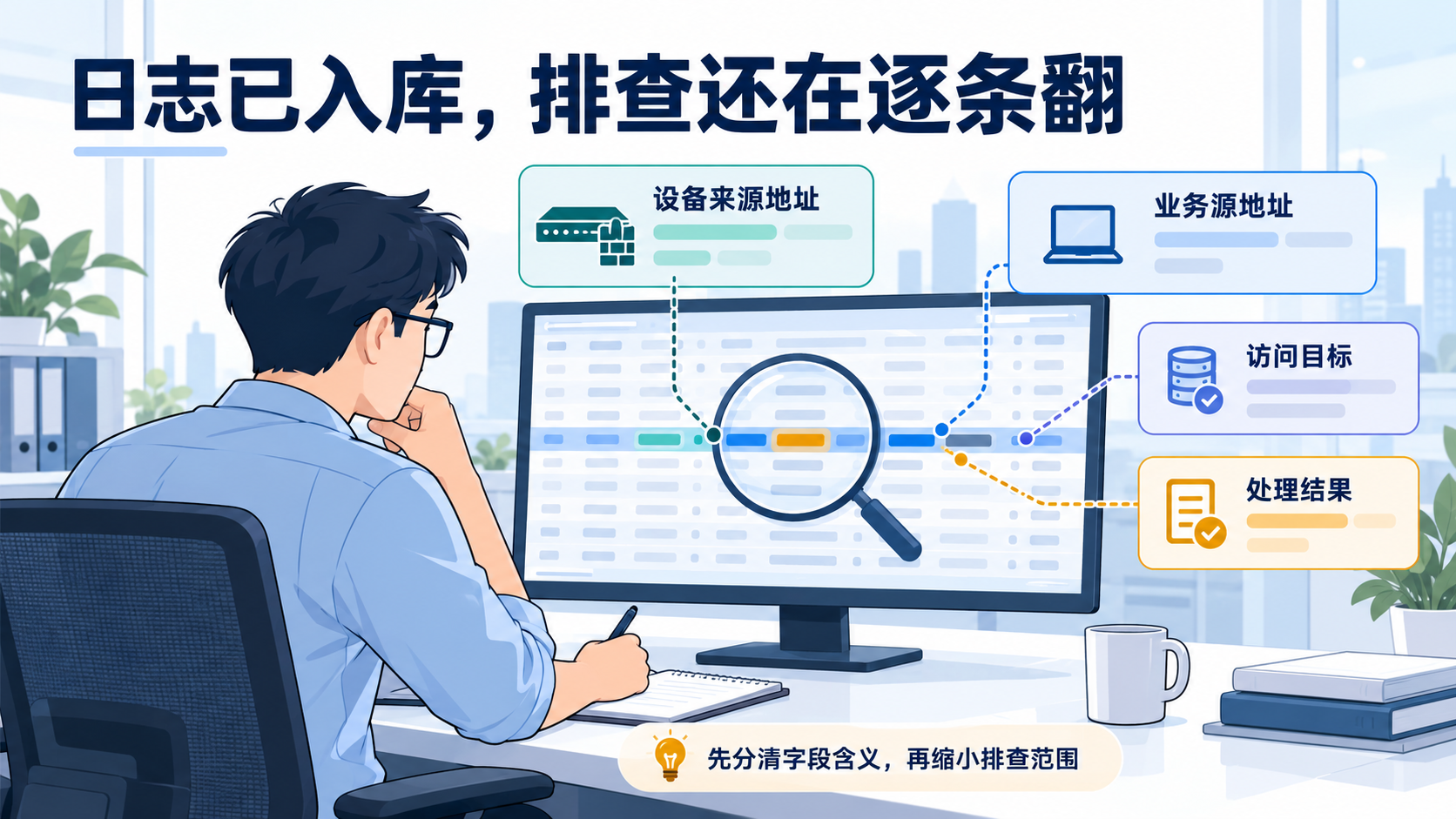
Finding an Address Still Leaves the Direction to Interpret
Suppose the search results include these three messages:
src=198.51.100.23 dst=192.0.2.80 dpt=443 action=deny
src=192.0.2.80 dst=198.51.100.23 dpt=443 action=deny
src=198.51.100.23 dst=192.0.2.80 dpt=443 action=allow
All three contain the IP Chen searched for, but only the first matches the access direction and deny action he needs to check. The second has the opposite connection direction, while the third is an allow record. They are three independent example records; the shared address alone does not make them stages of one connection.
Full-text search is useful for finding clues, but the next step still depends on someone understanding every line. As log volume grows, time spent interpreting formats gets mixed in with time spent analyzing the actual issue.
The source of the log can introduce another ambiguity. When logs are collected through Syslog, the source address recorded by the platform may belong to the firewall or a forwarding node. The src in the message body may instead be the source of the business connection. Searching by the former finds logs sent by a device and can produce a much broader result set.
So this investigation first needs to distinguish four things: the connection source, connection destination, destination port, and action. Extracting them from the message lets the query constrain both direction and action, without manually excluding the other two kinds of records.
Make the Query Express the Question
These four fields do not need elaborate names. They just need to be clear and consistently used by the team. For example:
| What to determine | Example field | Condition for this check |
|---|---|---|
| Who initiated the access | traffic_src_ip | 198.51.100.23 |
| Which target was accessed | traffic_dst_ip | 192.0.2.80 |
| Which port was accessed | traffic_dst_port | 443 |
| How the device handled it | traffic_action | deny |
These are example fields a team can adopt, not fixed platform fields. Actual extraction should follow the device output and local conventions.
With these clearly defined fields, Chen can express the full business question in a query: within a specified time range, find deny records for this source accessing this service port. After finding results, he can also inspect the hit trend to see when the deny records clustered.
If the business team then asks, "What other targets has it accessed?" he does not need to reread every raw message. He can keep the source address and time range, change the target condition, and examine the distribution of destination addresses or ports. Fields let an investigation follow the question, instead of requiring someone to reinterpret the log format whenever the question changes.
There is still an important limit to the conclusion: a deny record proves that the device logged a corresponding deny action. Determining whether it caused the business issue still requires the business symptoms and other evidence.
Keep Investigation Knowledge in the System
A temporary text-processing script could also extract the needed information for this investigation. But if format recognition, field meanings, and filtering logic live only in a personal script, they still have to be maintained when someone else takes over, the device changes, or an alert is needed.
WeOpsX Log Center lets teams maintain log extraction rules on an ingestion instance, moving this work into the collection and processing stage. Once the device can send Syslog to an available collector and the account has the required organization and instance permissions, validation can start with a small set of samples.
For the key-value messages in this example, use key-value parsing. For other formats, choose JSON, delimiter-based, or regular-expression extraction as appropriate. The goal is to write the raw content accurately into the agreed fields; there is no need to extract everything at once just to make the parsing seem comprehensive.
The log extractor supports previewing real samples. Chen can include the allow, deny, and different-direction records above in the validation set and check that each field retains the right value. The original message is protected and cannot be removed by an extraction rule, so the raw content remains available for comparison.
When multiple devices share an ingestion pipeline, rules should also be scoped to the right messages. The platform supports additional conditions on an individual extraction rule to distinguish messages by a known source identifier or format characteristic. Multiple rules execute in order, so if a later step depends on an earlier result, validate the sequence as a whole.
The value becomes clear during handover: a colleague can use the validated fields to investigate directly. WeOpsX also lets users save and load search conditions within the current organization, so teams can retain frequently used checks and spend less time rebuilding queries or explaining them verbally.
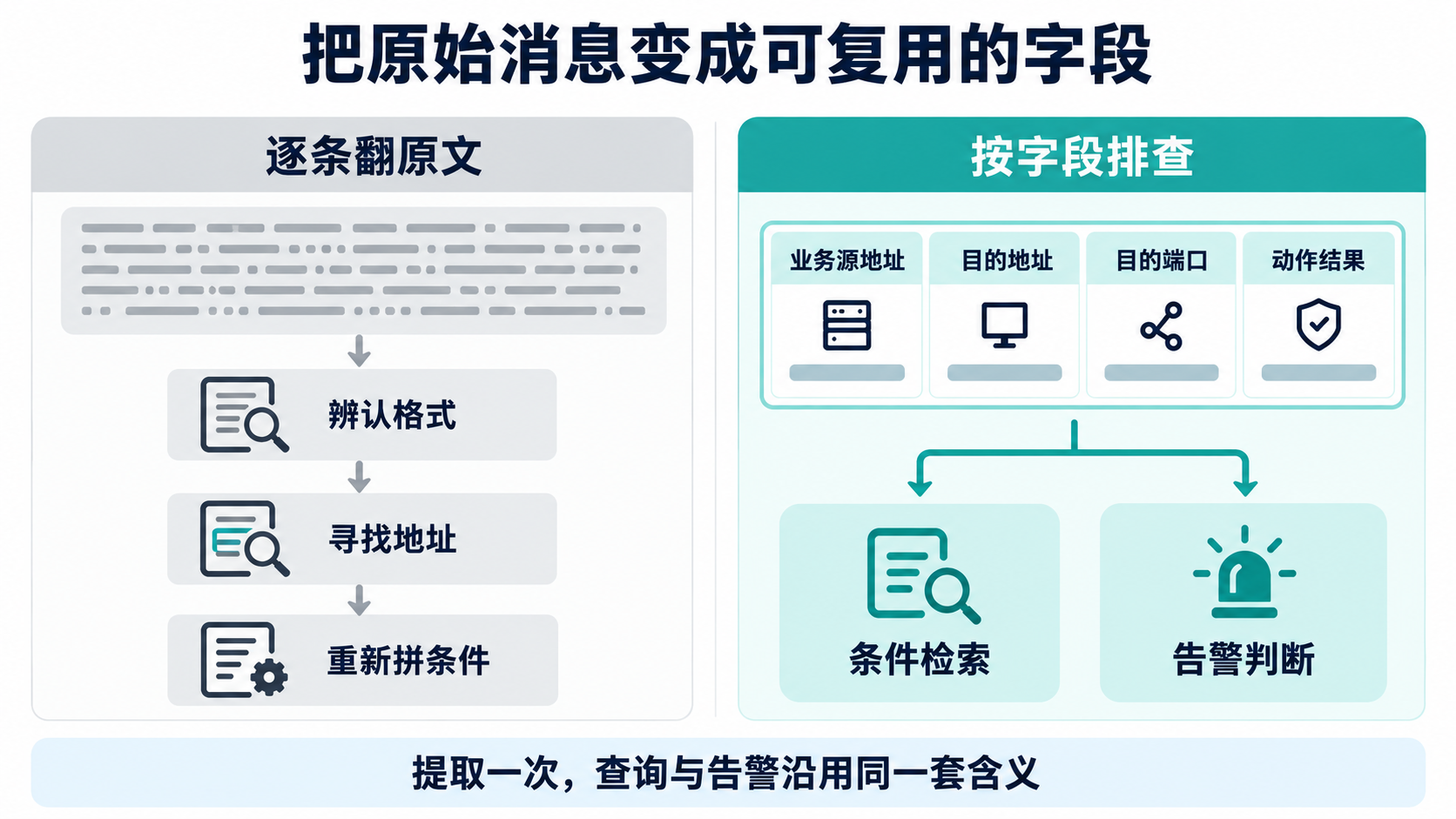
From raw messages to fields and then to reusable search conditions, the team gradually builds a shared investigation method. It remains useful as log volume grows. When formats change, there is also a clear rule to maintain.
Alerts Should Match the Access That Needs a Response
After the check is complete, the business team wants to monitor the same kind of issue. Chen already has fields that describe the target access, so he does not need to start alert configuration again from a broad keyword in the raw text.
For example, for a business connection that is expected to remain available, the team could watch for deny records matching a specific source, service, and port. If an occasional deny does not require an immediate response, they should also agree on the detection window, occurrence count, and recipients to distinguish a sustained issue from an isolated record.
WeOpsX Log Center provides keyword alerts and aggregation alerts. The former can monitor specific records through a query. The latter can be configured with aggregation dimensions and conditions to observe whether similar records cluster over time. The choice should follow the business situation that requires a response.
Structured fields provide clearer filtering criteria. An alert that watches only for a deny keyword may include unrelated targets, connections in the opposite direction, and expected blocks. Filtering by source, target, port, and action makes the alert closer to what the team actually cares about.
The same deny action can mean very different things: a routine block or a business connection that should have been allowed. Precise alerts require accurate fields and a clear definition of what deserves a human response. The platform can evaluate configured conditions, but the people responsible for the connection must determine its business meaning.
After an alert is generated, the responder can use the event timeline and associated raw logs to check what triggered it. The notification then comes with records that can support further investigation.
Validate the Change With a Set of Logs
After saving and publishing the extraction rule, Chen still needs to observe newly ingested logs. Sample preview, configuration publication, and fields appearing in new logs are separate checkpoints. A page showing that publication succeeded is not enough; the values in actual records must also be checked.
If publication fails, the runtime continues using the last valid configuration. Preview does not backfill historical logs either, so validation should use records that enter the collection pipeline after publication, rather than treating old data as proof that the new rule failed.
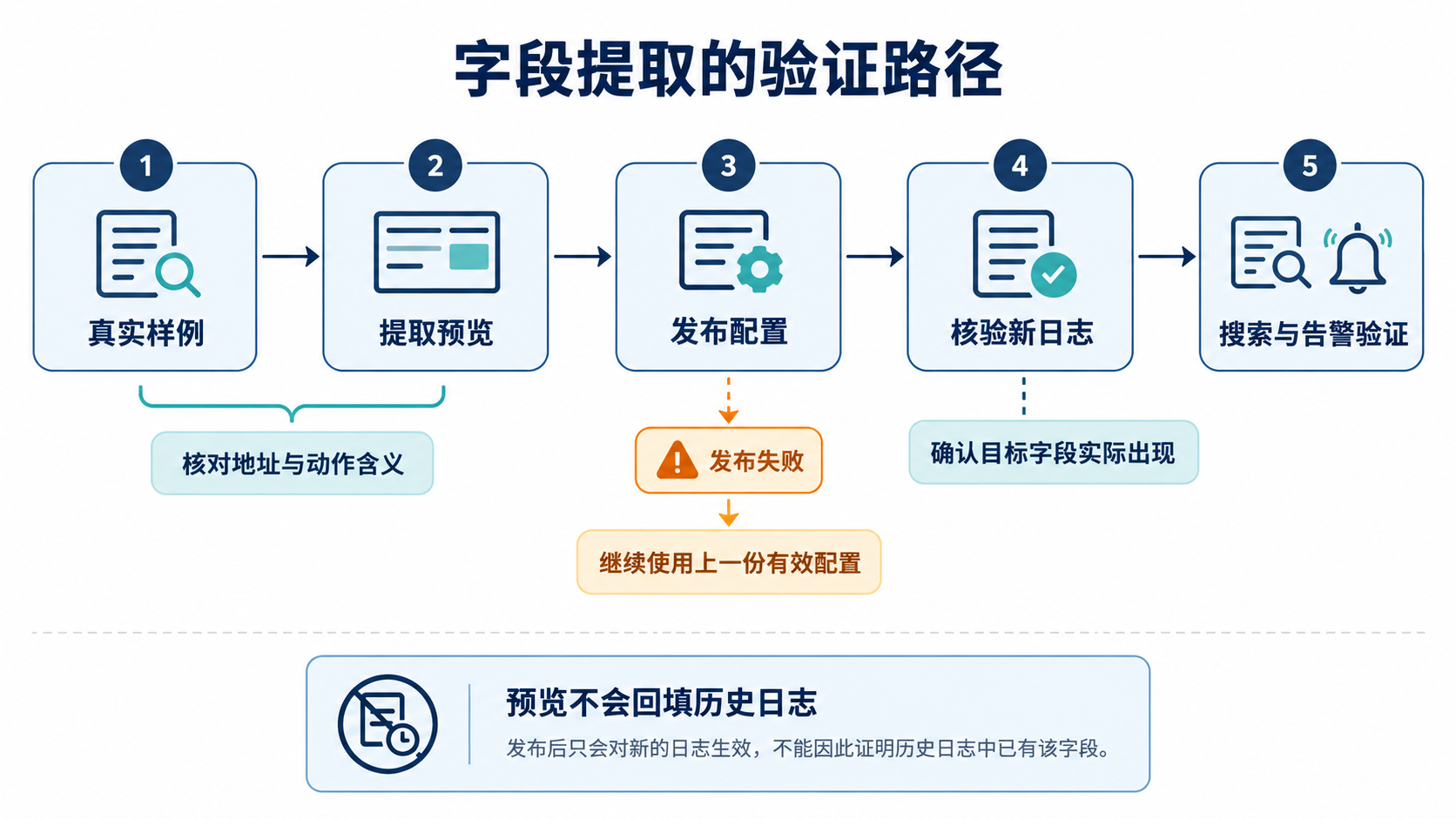
Instead of only checking whether a field appears, use the original investigation question and validate against records with clear expected outcomes:
| Test record | Expected result for this deny query |
|---|---|
| Specified source to target port, with a deny action | Should match |
| Same source and target, with an allow action | Should not match |
| Same addresses, but the connection direction is reversed | Should not match |
| A record missing a field needed for the decision | Check the raw message and extraction result first; do not classify it as no issue |
Once the query passes, verify that the corresponding alert is generated under the intended conditions and that the original record can be reviewed. Log policies scan on a configured interval, and query processing introduces a safety delay. Observe the result in light of the detection interval; whether a notification arrived immediately after a log was received is not the only measure.
Returning to Chen's original task, the investigation now follows a repeatable method: confirm the time range, filter by the access relationship, review deny records, and compare them with the business symptoms. Colleagues can reuse the same conditions, while a validated alert policy handles ongoing monitoring.
That is the practical value of structured firewall logs: spend less time repeatedly interpreting formats, preserve the conditions from one investigation for the whole team, and make alert filters more precise. Starting with a few key fields for a frequent question is often an easier way to show improvement than trying to parse every field from every log at once.